




Level Up Your Play: The Ultimate Guide to Gaming Keyboards and Mice
From exploring vast open worlds to competing in high-stakes shooters, your gaming keyboard and mouse are far more than just tools; they act as a direct extension of your intent. At Richer Sounds, we believe that understanding your gear is the first step to help you experience better performance. This guide breaks down the essentials of sensor precision and mechanical switches to help you find the perfect match for your playstyle.
Why Your Peripherals Matter
When you’re in the heat of battle, a fraction of a second often decides the difference between a win and a loss. Standard office equipment is built for typing emails and scrolling spreadsheets, not for the rapid, repetitive inputs of modern gaming. Many basic mice often suffer from “prediction” or “jitter,” where the hardware tries to guess your movement, leading to missed shots. Dedicated gaming sensors provide raw, 1:1 tracking, ensuring your hand movements are mirrored exactly on screen.
Investing in a dedicated gaming mouse and keyboard ensures your hardware keeps up with your reflexes. It also provides better ergonomic support for those longer sessions, allowing you to stay comfortable while you play. Unlike standard keyboards that may lock up if you press too many keys at once, gaming models feature “N-Key Rollover.” This means every single command is registered, no matter how fast your fingers fly.
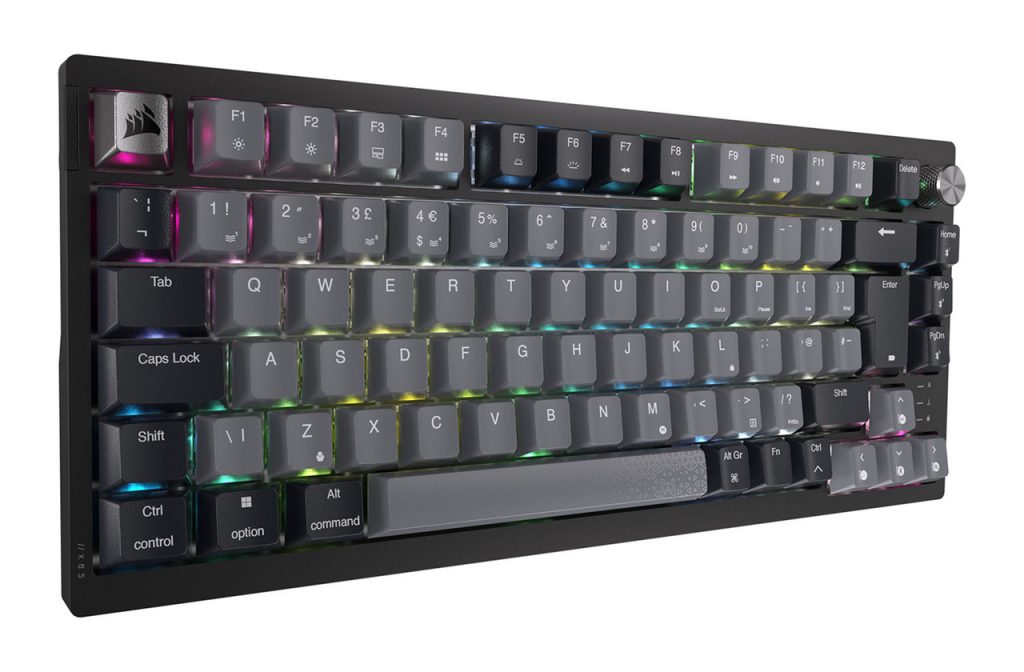
Corsair K65 Plus WirelessWL Keyboard
Finding the Best Gaming Mouse for Your Grip
Choosing the right mouse comes down to three main factors: the shape that fits your physical grip style, the technical precision of the sensor, and your preference for a wired or wireless connection.
The best gaming mouse for you depends heavily on how you hold it. Some players prefer a palm grip for comfort, while others use a claw or fingertip grip for faster flicks. In a standard office environment, your mouse sensor generally only needs to be good enough to click a link. In gaming, precision is paramount. High-quality gaming sensors offer superior tracking with zero “smoothing” or “acceleration” – features often found in budget mice that actually hinder your accuracy.
Standard office mice usually have a fixed, low polling rate, which can cause a laggy feeling. Gaming mice communicate with your PC up to 1,000 times per second, providing a near-instantaneous connection. This level of responsiveness is the first step to help you experience better performance.
Sensor Precision and DPI
By using a mouse with adjustable DPI (dots per inch), you gain total control over your sensitivity. This allows you to toggle instantly between high sensitivity for lightning-fast 180-degree turns and low sensitivity for pixel-perfect sniping. High-quality sensors offer better tracking and allow you to find the sweet spot for your specific monitor resolution and playstyle.
Wired vs Wireless: Choosing Your Connection
If you want to declutter your desk, modern wireless technology has come a long way. However, it’s important to choose the right type of connection for your needs:
- 2.4GHz Wireless: Used with a dedicated USB dongle, high-end wireless mice are super-responsive and can even offer the same lag-free performance as their wired counterparts. This gives you total freedom of movement without the cable drag that can throw off your aim.
- Bluetooth: While great for saving battery and ideal for general office use, Bluetooth is generally slower and may not provide the instant feel required for competitive gaming.
While top-tier wireless mice are now incredible performers, budget wired mice are still often superior to entry-level wireless ones when it comes to raw speed and reliability. If you’re looking for the absolute best response on a budget, a wired connection remains a fantastic, dependable choice.
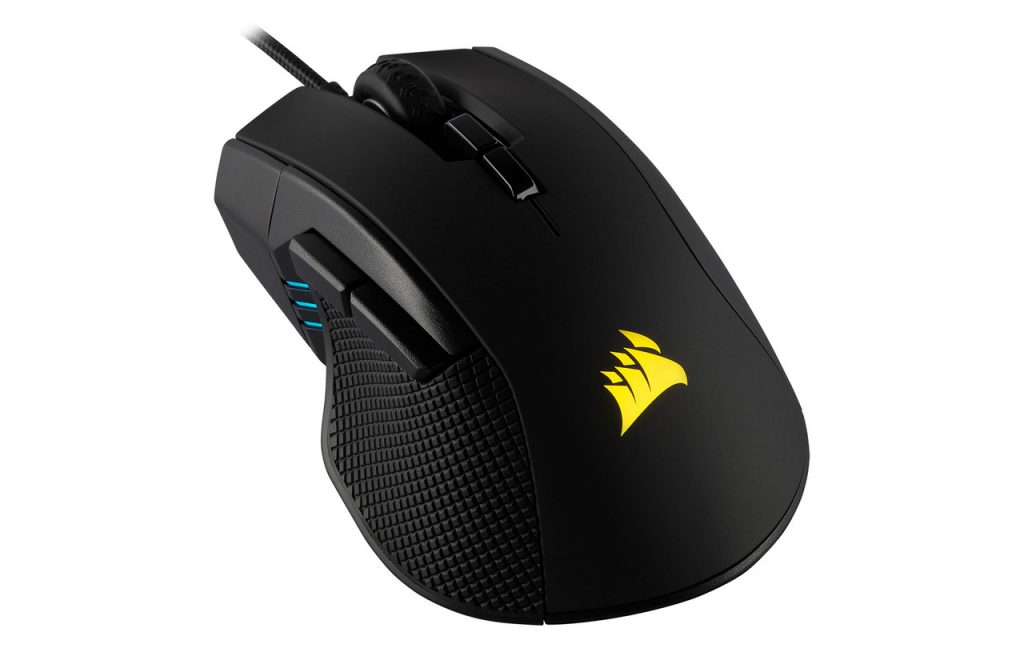
Corsair Ironclaw RGB Mouse
Our Top Gaming Mouse Picks
For an ergonomic powerhouse, the Corsair Ironclaw RGB makes an excellent choice. If you have larger hands or prefer a palm grip, the Ironclaw is arguably the best Corsair gaming mouse for the job. It’s contoured specifically for comfort during marathon sessions and features a high-performance 18,000 DPI precision sensor. This ensures every movement is translated perfectly to the screen.
For those seeking a more streamlined and versatile gaming mouse and keyboard setup, the Corsair M75 RGB is a standout. Its ambidextrous shape makes it comfortable for almost any player, while the ultra-lightweight design ensures your aim stays fast and fluid during intense firefights.
If your playstyle leans towards MMOs or complex strategy games, the Corsair Scimitar Elite Wireless is a game-changer. It features a unique side-mounted keypad with 12 programmable buttons, allowing you to keep all your essential commands right under your thumb with sub-1ms response times.
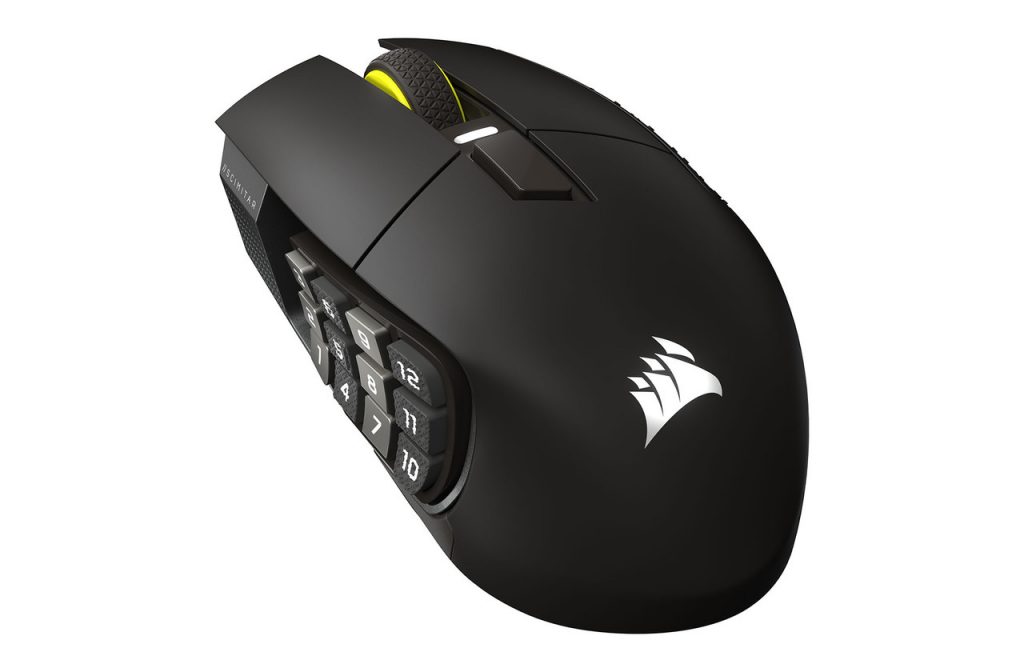
Corsair Scimitar Elite Wireless SE Mouse
Choosing the Best Gaming Keyboard
The transition to a gaming keyboard is defined by the switch technology; replacing mushy rubber domes with mechanical switches provides the speed, durability, and tactile feedback required for high-level play.
The core of any good gaming PC keyboard is the switch under the keycap. Standard keyboards used in offices feel mushy because they rely on a rubber dome that must be fully compressed to register a press. This can lead to finger fatigue and missed inputs. Mechanical switches are the gold standard because they offer durability, consistency, and a variety of tactile feels.
Linear switches are smooth and quiet, making them perfect for rapid double-tapping. Tactile switches feature a small bump so you know exactly when the key has registered without needing to bottom out the key. Clicky switches provide both a tactile bump and an audible click for maximum feedback. For those who want a clean and minimalist setup, a wireless gaming keyboard and mouse combo can transform your desk into a professional-looking battlestation.
Our Top Keyboard Picks
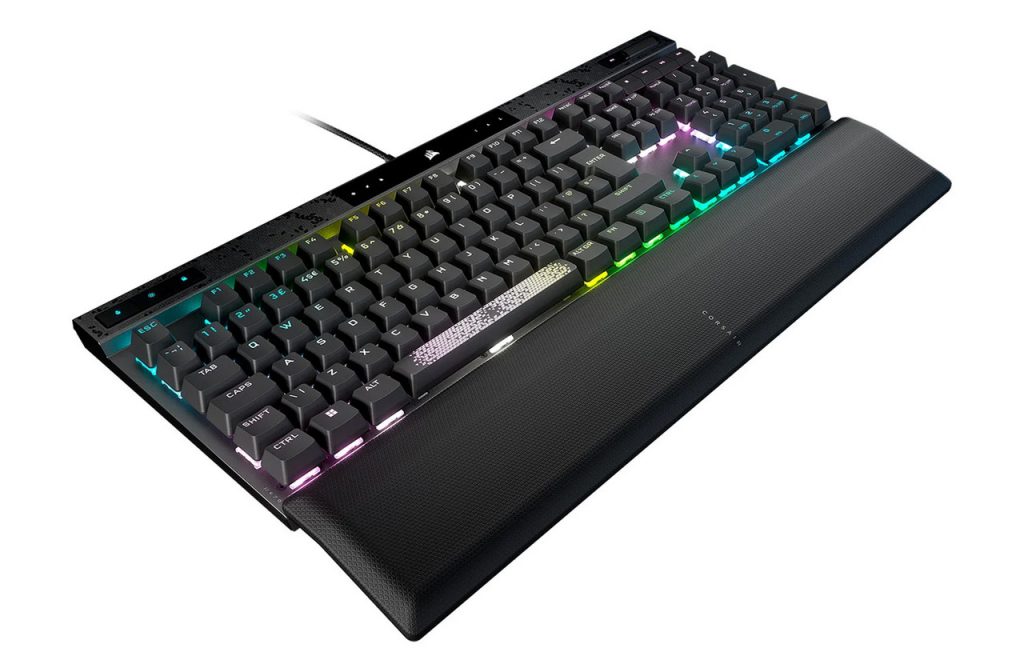
Widely considered one of the best gaming keyboard options for enthusiasts, the Corsair K70 MAX RGB features adjustable magnetic-mechanical switches. This lets you customise the actuation point of every single key. You can set a hair-trigger response for gaming and a deeper press for typing, giving you a level of control that truly helps you experience better.
For a cleaner setup, the Corsair K65 PLUS WIRELESS keyboard is an ideal companion for your gaming mouse. This model features a space-saving 75% layout, often referred to as a ‘Tenkeyless’ (TKL) keyboard. By removing the numeric keypad, the K65 PLUS offers a much more compact footprint, freeing up valuable desk space for your mouse hand. With multi-platform wireless connectivity, it proves you don’t need a bulky traditional keyboard to get top-tier performance.
Complete Your Setup
Finding the right input gear is just one part of the puzzle. To truly immerse yourself, you’ll want to pair your new gaming peripherals with a display that can keep up. Check out our guide to the top gaming monitors to ensure you’re seeing every frame in crystal clarity.
Communication is key in any team game, so take a look at our breakdown of gaming headsets to find a pair that offers both comfort and sonic precision.
If you have any questions about which switches or sensors are right for you, why not pop into your local Richer Sounds store? Our friendly, expert staff are always on hand to help you find the right product for your needs.