



The Best Desktop Speakers for Clear, Powerful Sound
Investing in speakers for a computer is the single most effective way to upgrade your daily digital experience. Moving from the thin, restricted sound of built-in speakers to a dedicated pair of desktop speakers transforms a functional tool into an entertainment powerhouse. Whether you need speakers for a computer monitor to improve video calls or are simply seeking the best speakers for a desktop computer to bring your music to life, this guide will help you find the perfect fit.
Key Factors to Consider from Our Experts
When researching speakers for a computer monitor, the physical footprint is often your most important decision. Most of us have limited desk space, so finding a balance between size and impact is essential. If you use a laptop computer, you might prefer something portable; for a fixed workstation, you can go bigger for a more exciting experience.
System Type
A 2.0 setup is a classic choice, using two speakers to create a wide stereo soundstage that built-in laptop audio simply can’t match. It’s perfect for clear video calls and crisp background music while you work. However, if your digital life involves cinematic movies or high-stakes gaming, look for a 2.1 system. These include a dedicated subwoofer to handle those deep, thumping low-end frequencies, giving your audio the physical “punch” it needs to feel truly immersive.
Connectivity
While a standard 3.5mm headphone jack is a universal plug-and-play hero, modern digital connections can take your sound further. Choosing speakers with a USB-C connection or Bluetooth allows the speakers to handle the audio processing themselves, bypassing the basic, often noisy internal parts of your computer. The result is a cleaner, more detailed sound that lets you hear your favourite tracks exactly as the artist intended.
Power & Headroom
You don’t need a concert-sized rig to get great sound at your desk. For a standard home office, a power output between 20 and 50 watts provides the perfect balance. This isn’t just about maximum volume; it’s about headroom. Having that extra power available ensures your speakers can breathe, delivering clear, undistorted audio even when you’re listening at lower levels during a focused workday.
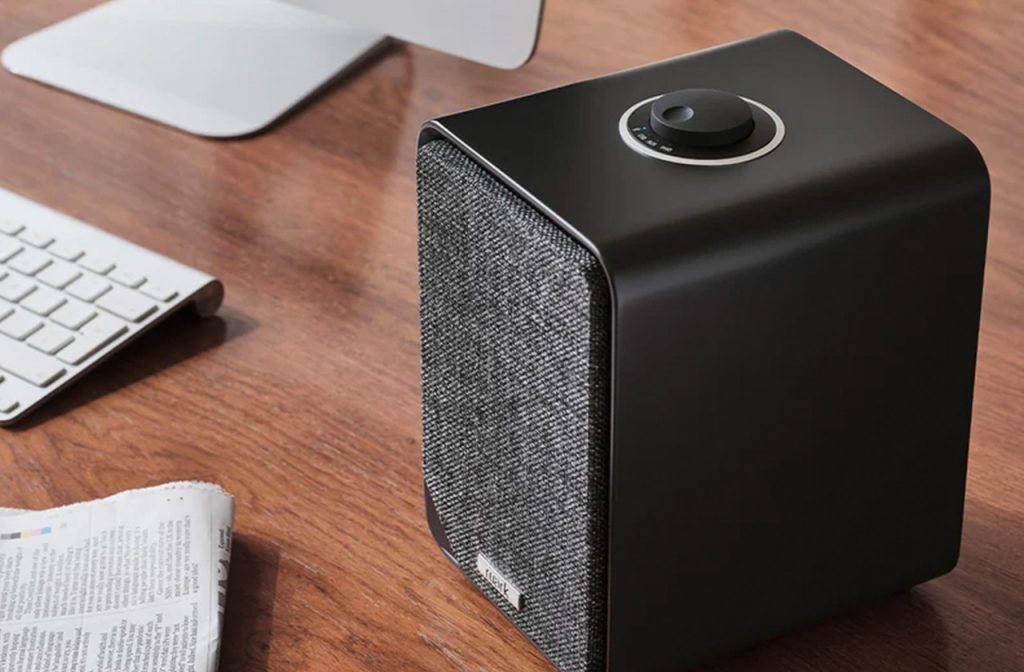
Ruark Audio MR1 MK3
The Difference a Dedicated Setup Makes
We spend hours in front of our screens, but because those displays are getting thinner, the speakers inside have less room to move air. This often leads to flat audio that lacks the depth needed for a truly immersive experience. A dedicated setup provides the warmth and clarity you need for long shifts, giving your video calls a more natural feel, bringing a rich, detailed energy to your music playback, and giving movie soundtracks the physical sonic punch they deserve.
Our Expert Desktop Speaker Recommendations for Incredible Sound
For those starting their research into the best speakers for a desktop computer, we have selected a few standout models that offer exceptional value and performance.
The Elegant High-Performer
If you’re looking for the absolute best speakers for a computer that double as a beautiful piece of furniture, the Ruark MR1 MK3 is our top choice.
The handcrafted, wood-veneered units provide a natural, rich soundstage that’s a dream for music lovers. They’ve been upgraded with a powerful Class D amplifier and a built-in moving magnet (MM) phono stage, which means you can plug a turntable directly into them for a vinyl session when you’ve finished work for the day. They also now feature USB-C connectivity, ensuring you get the best high-resolution digital playback from your modern devices.
Expert Tip: To find the “sweet spot,” space your speakers apart so they form an equilateral triangle with your head, then angle them slightly inward toward your ears.
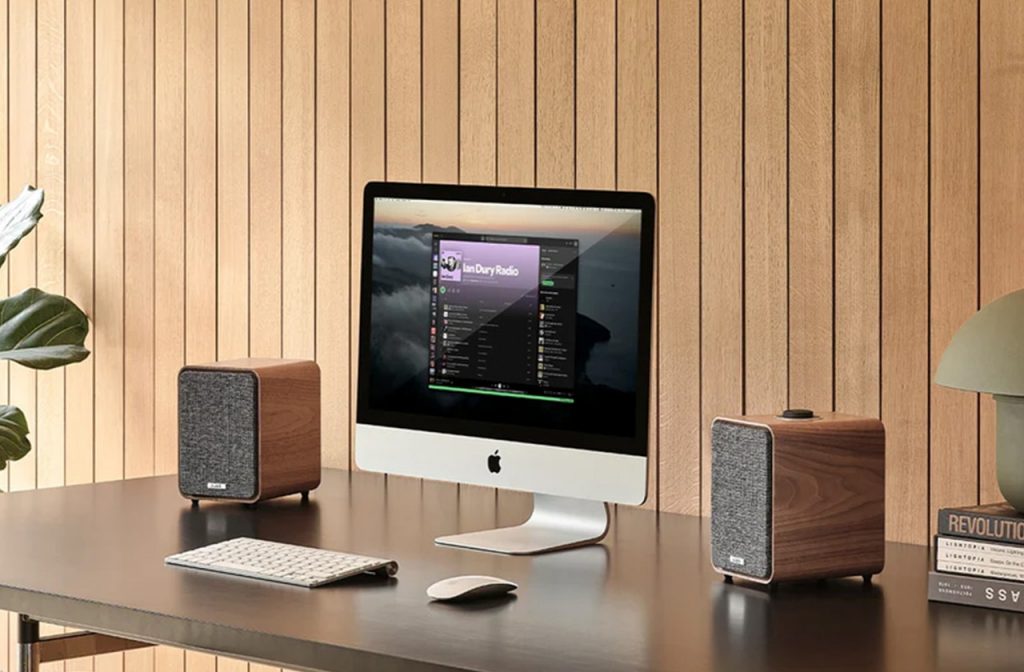
Ruark Audio MR1 MK3
The Wireless Master of Detail
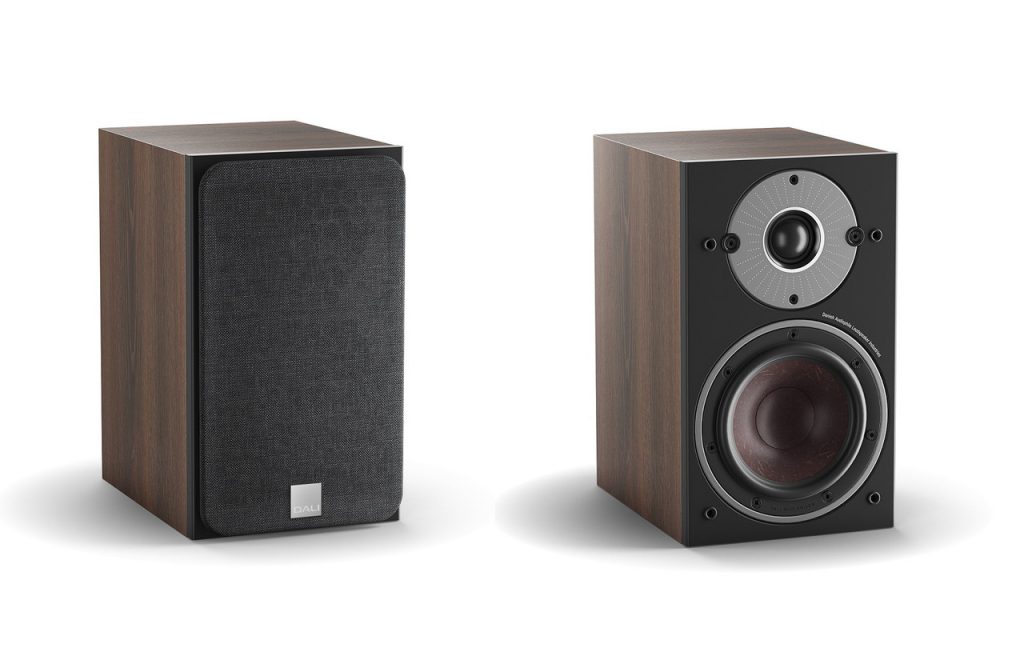
The Dali Oberon 1C is an outstanding choice for those looking for speakers for a computer monitor. While they look like traditional bookshelf speakers, they’re part of a sophisticated wireless system designed to sit neatly in a high-performance workspace.
By pairing them with the Dali Sound Hub Compact, you can bypass your computer’s basic headphone jack and send a pure, high-resolution signal directly to the speakers. This rewards you with incredible detail and a wide soundstage for both gaming and music. If you already have an amplifier and prefer a wired setup, the passive Dali Oberon 1 remains a legendary pick for desktop clarity.
The Powerhouse for Larger Desks
If you have a generous amount of desk space and want the best wireless speakers for home office use, the Kanto YU6 is a serious contender. While many speakers for a desktop computer focus on being small, the YU6 is built for those who want their workspace to sound like a high-end listening room.
Armed with a formidable Class D amplifier pumping out 200W of peak power, the YU6 delivers a deep, punchy bass that smaller speakers for a computer monitor simply can’t match. Its 5.25-inch Kevlar drivers and 1-inch silk dome tweeters ensure that, whether you are on a high-stakes video call or enjoying a curated playlist, every detail is crisp and every note has its own space.

Kanto YU6 Speakers
The Ultimate Hi-Fi Desktop Experience
For those seeking the best speakers for a computer without any compromise on detail, the KEF LSX II LT with KEF Kube 8 MIE is a masterclass in acoustic engineering. Using KEF’s signature Uni-Q driver array, these speakers act as a single point source, which is ideal for desktop use where you sit close to the monitors. They support everything from AirPlay 2 to Spotify Connect, making them a sleek, cable-free solution for any speakers for a computer monitor setup.
Expert Tip: As these speakers are highly revealing, they reward high-quality digital signals. We recommend using the USB-C input on the back to connect directly to your PC for the most stable, high-resolution audio possible.
Let Us Help You Find Your Perfect Set-Up
Still not sure which desktop speaker to buy? The best way to choose is with your own ears. Pop into your local Richer Sounds store for a friendly chat and a live demo – bring your favourite playlist and we’ll find the perfect pair together.